1. Start with a clear brief
Before modelling, I need to understand who or what the figurine should represent and what matters most to you. Some customers want a close likeness; others prefer a gentle stylization. Pose, expression, clothing, accessories and the display base can all change the design.
Size and display location matter too. A small shelf figurine may need different proportions and detail than a larger decorative piece. I review the source material first, then confirm the scope, quote and expected timing before production begins.
- Describe the subject and the pose you have in mind.
- Mention details such as hairstyle, glasses, clothing, uniform or a favourite object.
- Attach colour references or examples of the style you like.
2. Photos are references, not a finished model
A photograph captures one viewpoint and may hide details behind shadows, hair, glasses or other objects. A sharp, well-lit face photo from the front and another from a slight angle can help reveal the shape of the head. Views of the full body from different sides are useful when you have them.
Clarity matters more than quantity. Good focus and natural lighting are usually more useful than many blurry images. Strong filters, backlighting, covered faces or heavy compression can make assessment difficult. If something important is missing, I will ask instead of inventing a detail.
3. Building the digital model
The 3D model is prepared from the photographs and agreed brief. It is not an automatic conversion of a flat image: proportions, visible features and unseen surfaces need to be designed so the object reads from every side and can be manufactured.
Very fine features may disappear at a small scale, while some shapes may need subtle emphasis to remain visible after printing. A digital preview helps review the silhouette and proportions, but it cannot perfectly predict every surface detail of a physical print.
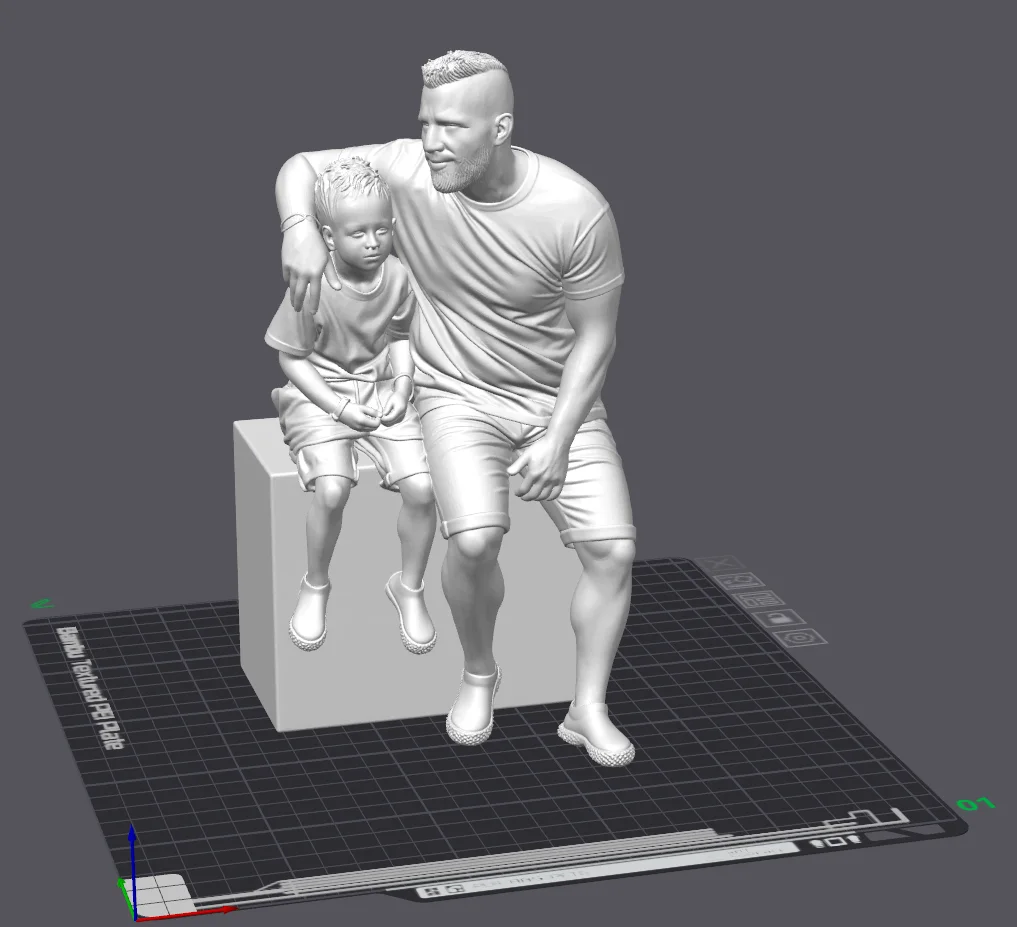
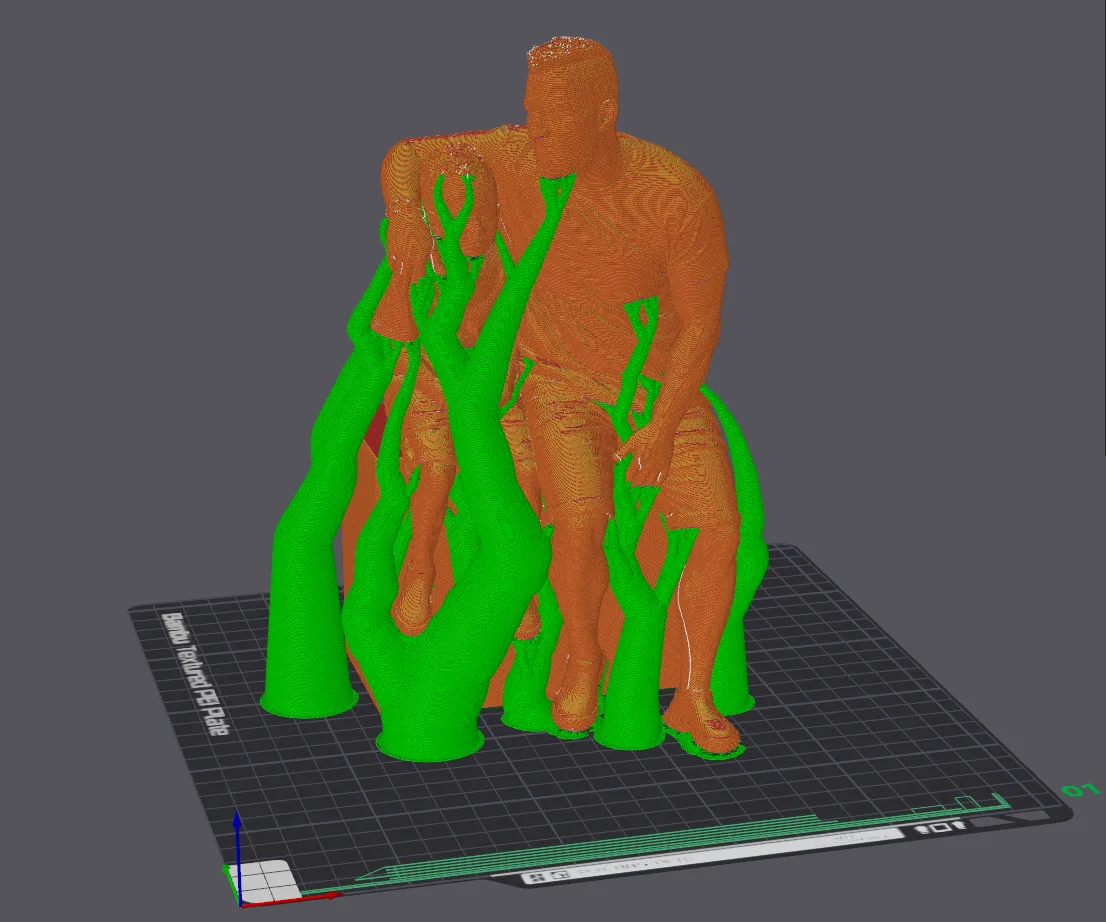
The workshop example below shows two seated figures connected to a base. The digital model already reveals overhangs, especially below the arms and the projecting parts of the legs.
4. Preview, feedback and quote
If agreed for the project, I can share a model preview for your comments. This is the right moment to check the overall likeness, pose, clothing and important accessories. Small changes may be straightforward; a major change to the brief can require additional modelling, so we clarify the scope before proceeding.
Once the specific offer is approved, we confirm the price, expected timing and handover method. The quote can include model preparation, material, print time and finishing. Production starts only after the agreed conditions are met.
5. Preparing the print in a slicer
The approved model is checked for geometry and prepared for production. Slicing software determines the orientation, layer paths, supports and other settings that affect appearance, strength, material use and print time.
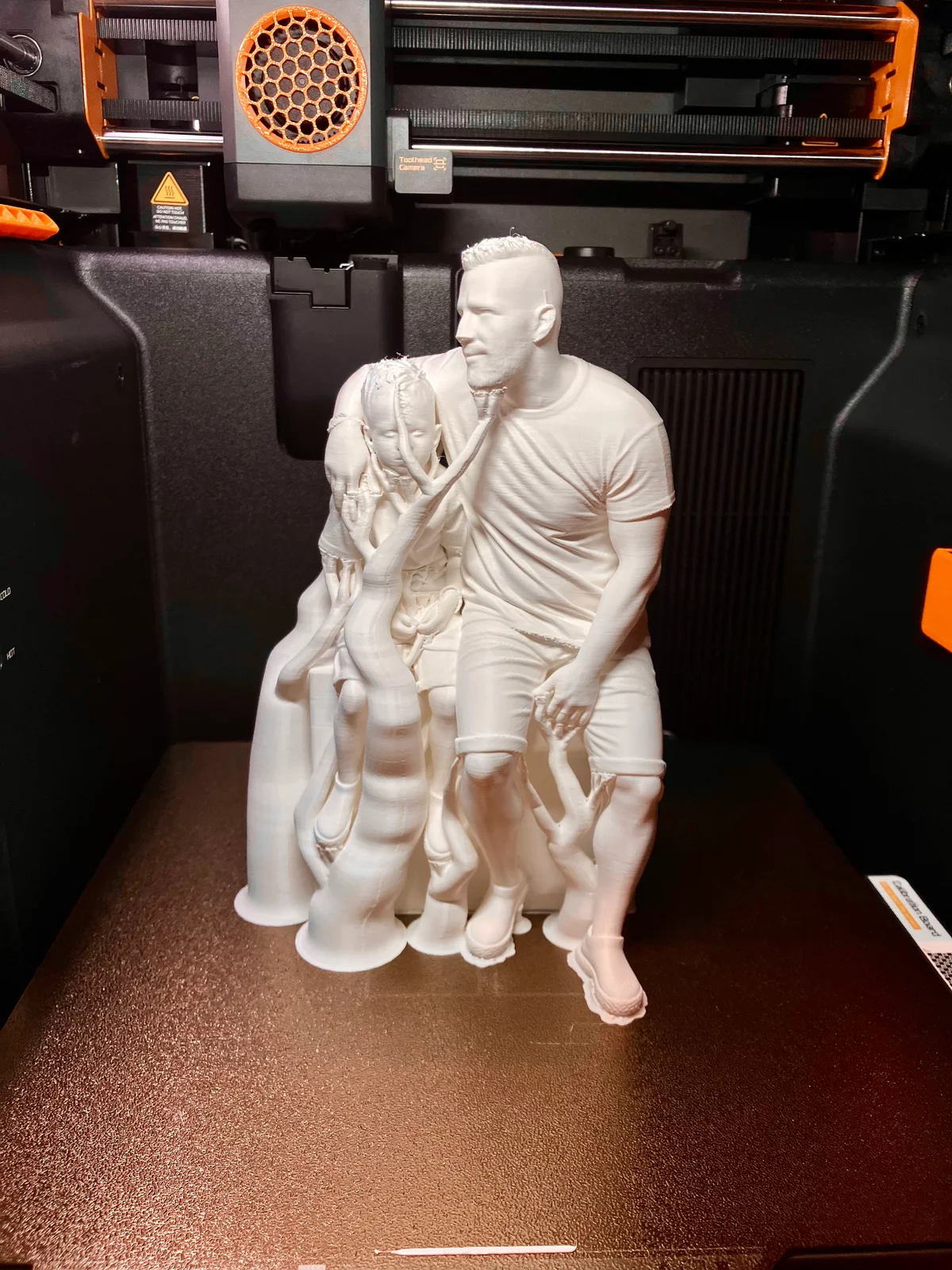
The tree supports in this preview are highlighted in green. They connect the build plate to overhangs and hold sections that would otherwise be printed without sufficient support. In the photograph from the printer, those temporary structures are still attached; they are not part of the final design.
Settings depend on the model and its purpose. A decorative figurine may prioritize surface appearance and stability, while another part may need strength or a close fit. The technical approach is chosen for the agreed design.
6. Printing, checking and finishing
After printing, supports are removed where needed and the surface and overall shape are checked against the agreed design. Depending on the quote, further finishing or colour work may follow. Every material and shape has limitations: visible layers, small surface variations and differences between screen colour and the actual shade can occur.
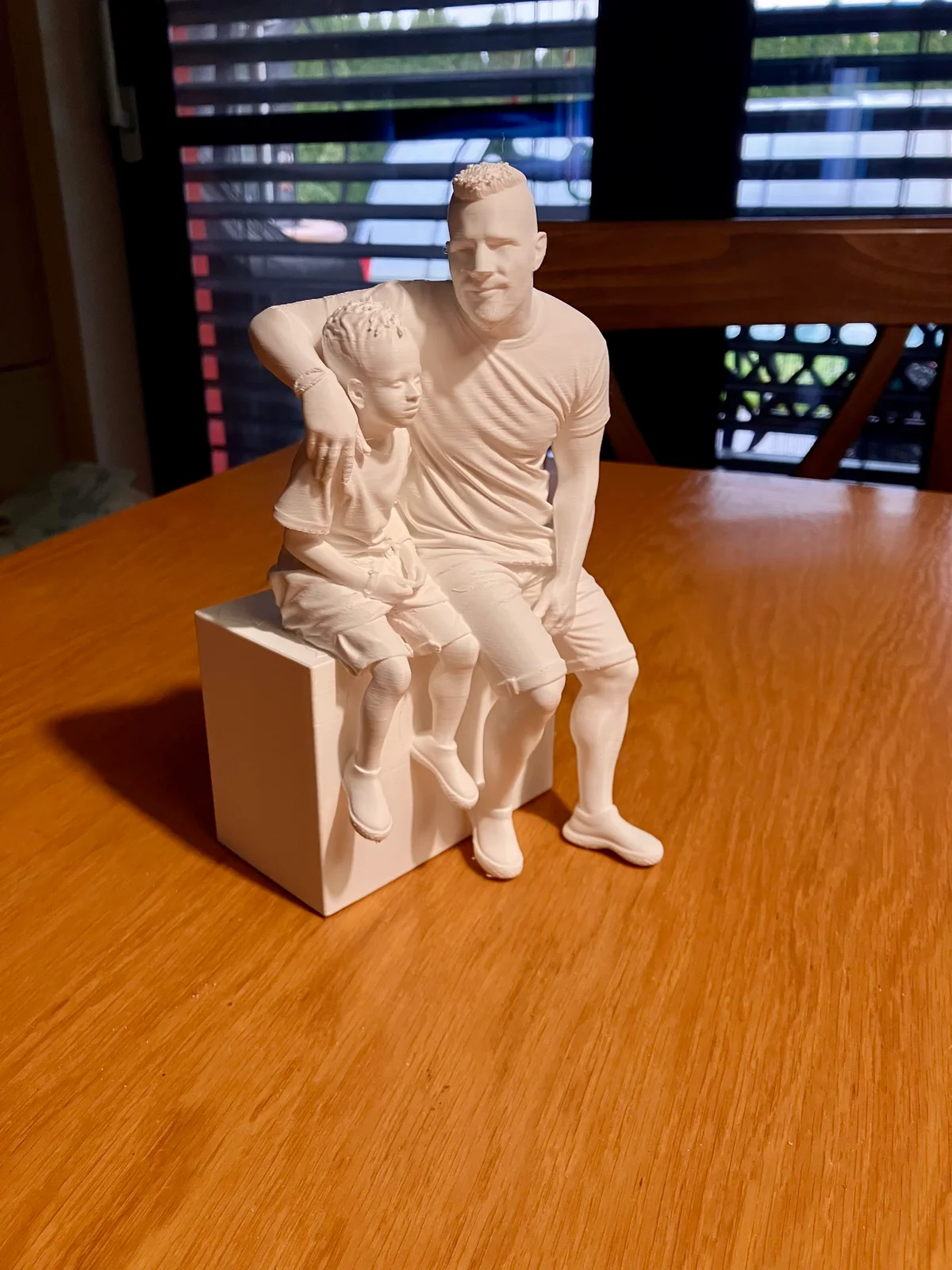
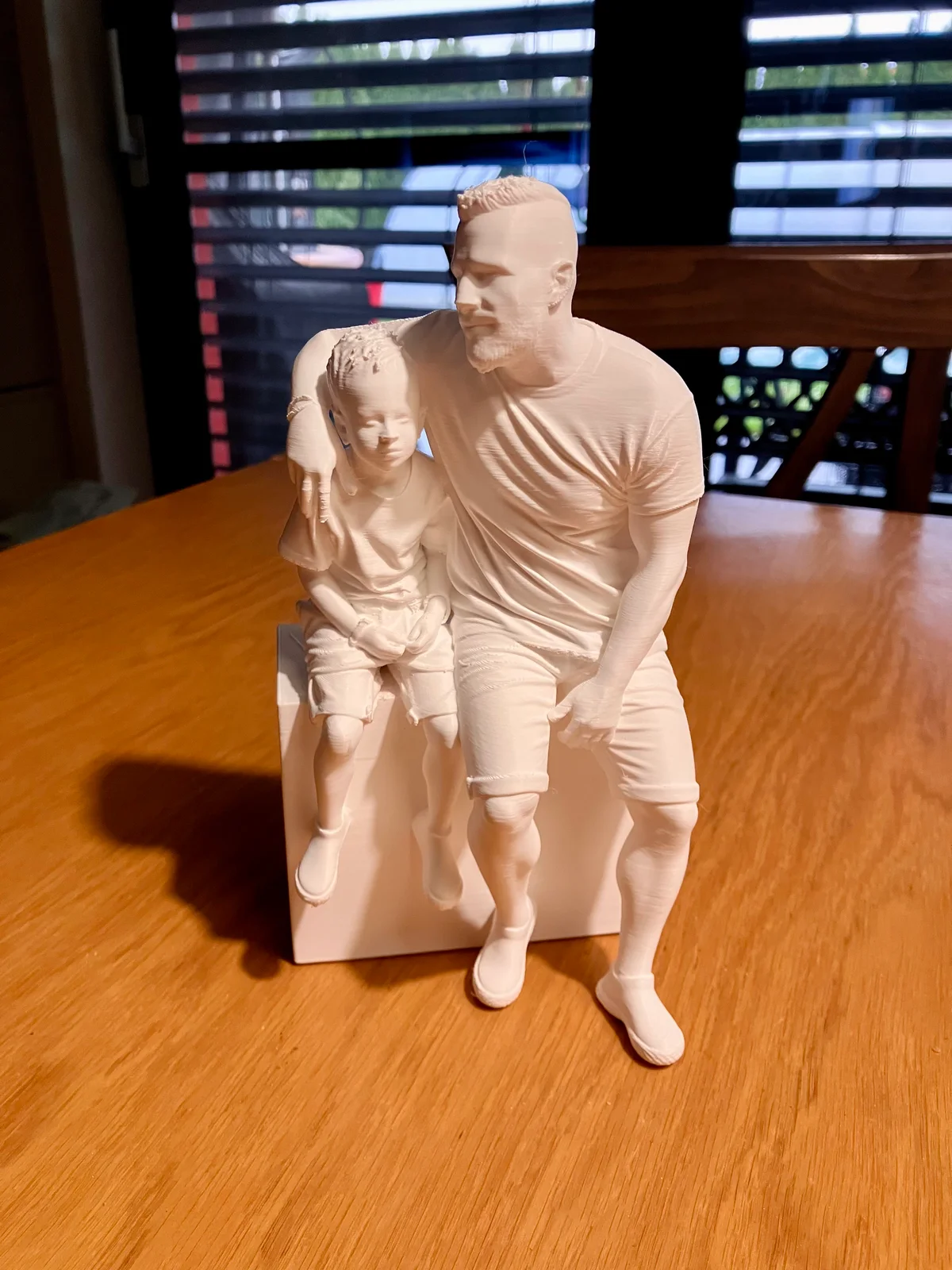
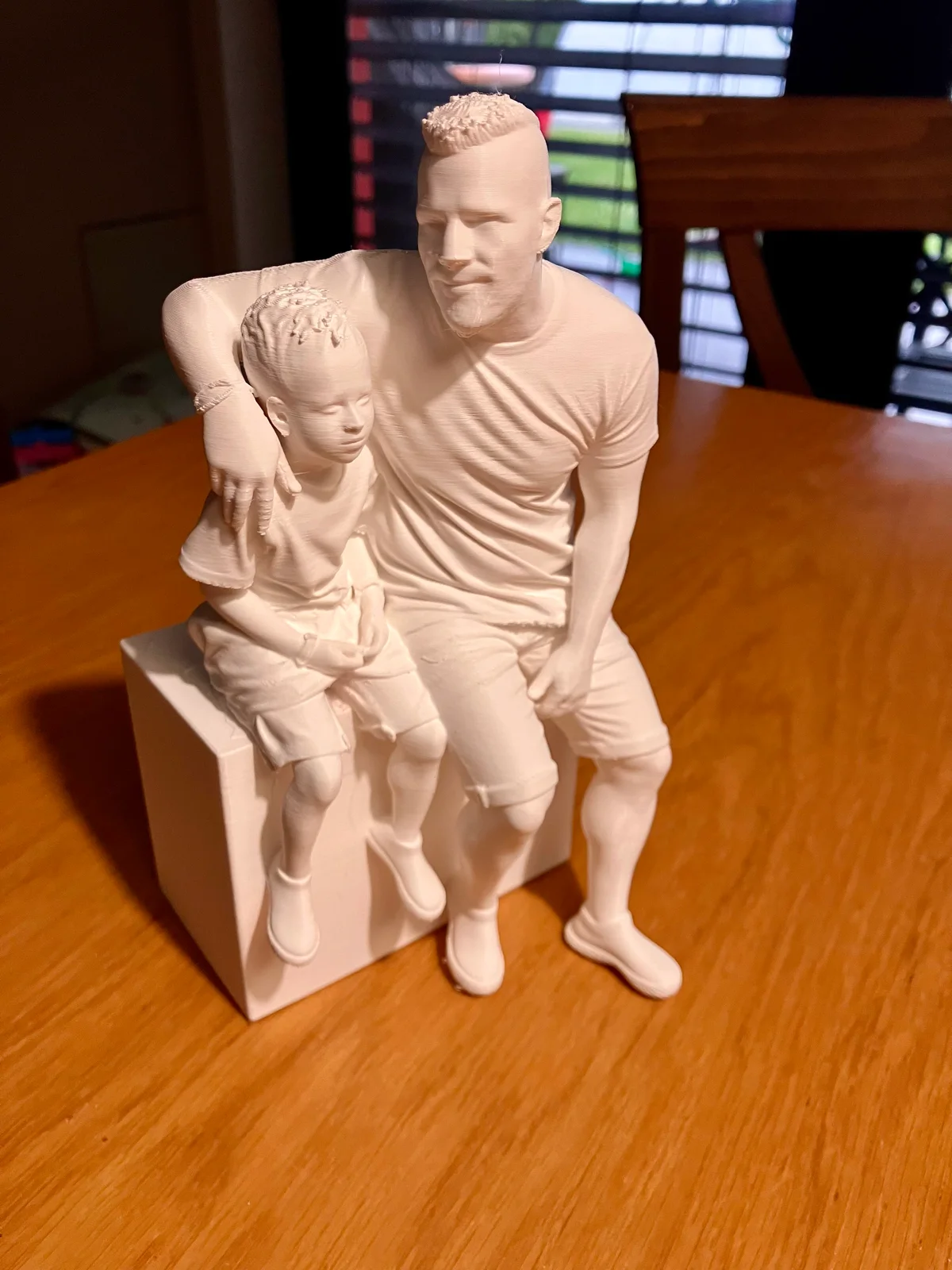
Removing the main supports exposes the hands, legs and spaces between the figures. The work continues with checking contact points, fine strings and small features. The tabletop photographs show why hand inspection is a separate step, rather than simply taking a model out of the printer.
The finished figurine is prepared for the agreed handover. The process moves from your photos and ideas through a digital design to a physical object, with key decisions and the quote confirmed before production.
.webp)